Video Transcoding Is Necessary For A Media Server

As someone who needs transcoding because I don’t have the patience to build a humongous storage set for me and my friends and family, I need transcoding.
What is transcoding
If you watch Netflix or YouTube and sometimes you notice the quality go up and down, that is happening really quickly, but it isn’t because they have multiple files that can play whenever. They have 1 file which is the highest quality that shifts down based on what is needed.
But video isn’t the only thing transcoded, you can transcode audio and also the media codecs which is like H264, HVEC or AV1
Now if it feels like too many semantics thrown at you don’t worry as I go along I’ll explain each part in some detail
What is a video codec?
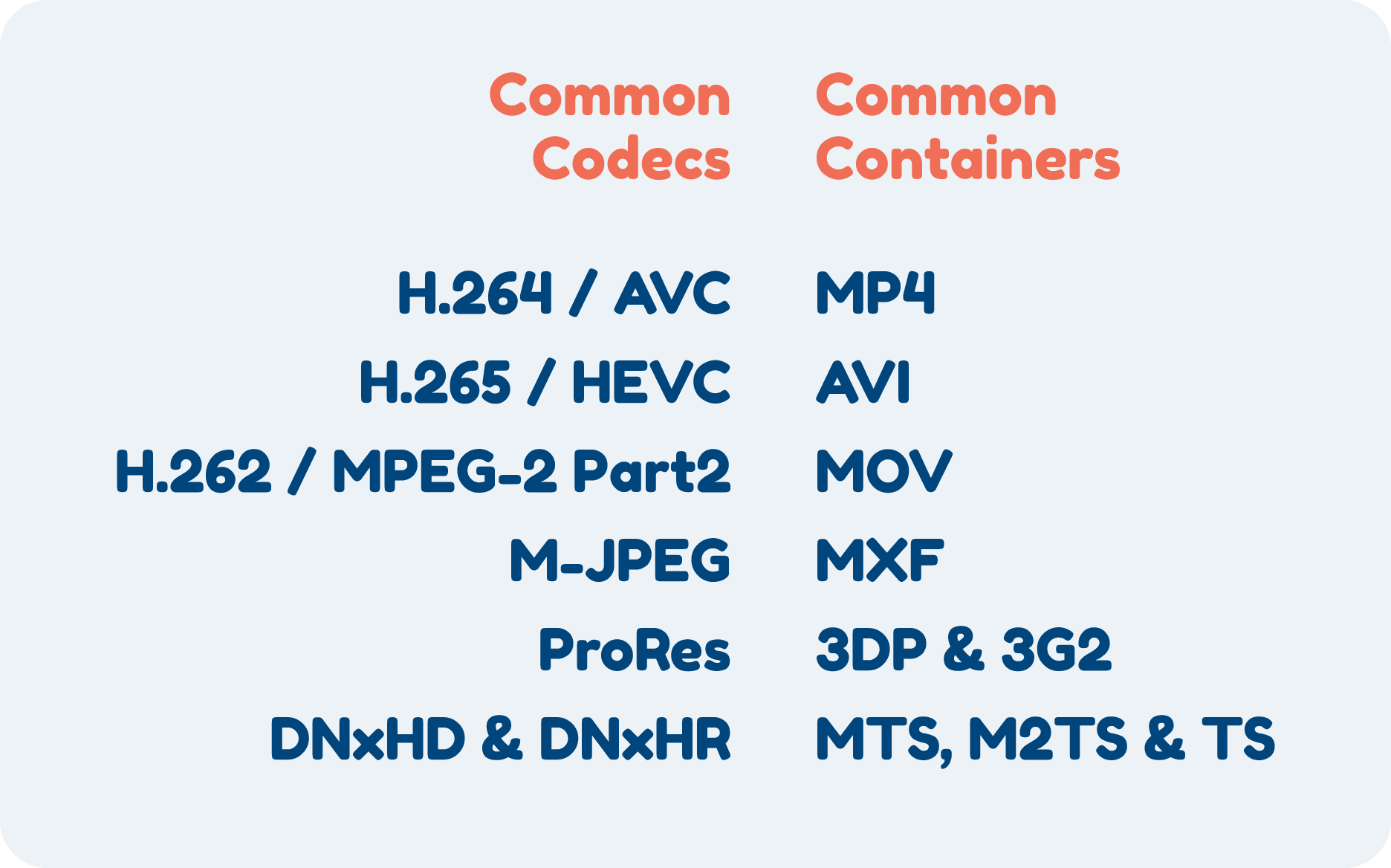
When you watch any video the file itself is compressed previously to save it. You need to decode the file to be able to transfer it to your monitor as you are watching so you can see the uncompressed version. The above formats are the different types. Most common being h.264. This is what most files are encoded with, it’s not the best especially with current generation requiring 4k HDR 10 with Dolby atmos. It makes the file really big and if you are trying to stream it it’s impossible because it will just not play.
Thats why newer formats like HVEC or AV1 are really good but have some more caveats, older browsers or computers may not support because the decoding happens on the client device but each one gives at least a 20% decrease in size with AV1 being the current best.
FFMPEG

If you have not heard about this, this will be the most important thing that you need to understand about it is that every thing that requires a conversion of video formats uses ffmpeg. Every big streaming company needs ffmpeg. It is the cornerstone of video conversion.
For jellyfin, they have a custom ffmpeg extensions and enhancements for their specific purpose. So you can see how important it is if you are building your own media server
How does transcoding work, gpu vs cpu or software based

So normally you have to ways, one is real time and the other is to convert the video format on disk. If you are trying to save space this is best. This allows you to convert everything into a better codec and you save a lot of space. Tdarr is a great converter that supports gpu and cpu and will be able to run in the background helping do the conversiona for you.
Realtime is a bit more tricky as if you don’t have a gpu that can support fast conversion or support multiple it’s tricky. CPU and software based will always be much much slower and you won’t be able to skip far or convert to to the latest codecs. Which is why I invested in an Intel Arc GPU, they are much cheaper but support Av1 and I bought a cheat 170 SGD version that supports up to 5 people at once which is amazing for the price.
Based on your config you will need to figure out how to enable your gpu to be able to get it to work with your media server. I will be putting out guides on how to do it for kubernetes, but if you are using a hypervisor or a vps you might have to see how gpu pass through works or what that cloud server supports
Adaptive Bitrate Streaming
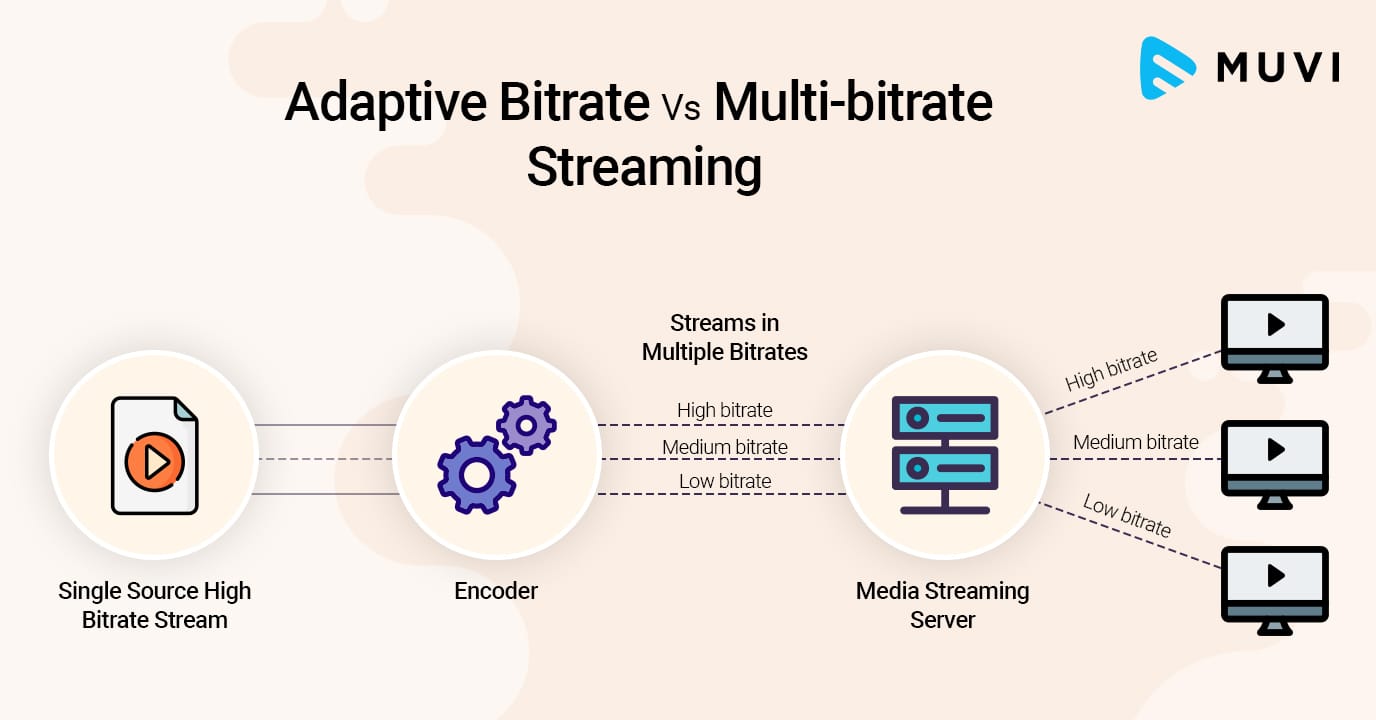
Sadly the one thing jellyfin and other media servers can’t do like the big boys (Netflix, Prime, YouTube) is having an adaptive bitrate, each client only gets one transcode but maybe in the future there is a way to make it easier to be able to this and have 0 interruptions when streaming
If you are planning to make a media server do make sure you think about investing in transcoding as it’s becoming cheaper and more doable that preciously. Or if you are someone who has 2 different formats for 4k and for Full HD then maybe this might allow you to save space and just keep a single format allowing you to have more movies and shows you like
Member discussion